
Treehouse in VR
Bringing my company's virtual office to the Quest in a day, with Claude Code
The problem
Treehouse is ArborXR’s virtual office. It’s a voxel 3D office in the browser where the team hangs out, talks over proximity voice and plays minigames. ArborXR is an XR company, and our own office didn’t work in a headset.
What I shipped
A VR mode. On a Quest you press Enter VR and you’re in the office in first person, at your avatar’s size. The left stick walks, the right stick turns, and A and B do what E and Esc do on a keyboard. There’s no keyboard in a headset, so a menu on the Y button has emotes, quick chat and your status.
Two of the games got real VR versions. In mini golf you swing the putter with your hand, and your scorecard sits on your left wrist. In ping pong the paddle follows your right hand, the controller buzzes when you return the ball, and the score floats over the net.
People on a desktop see a normal avatar and nothing changes for them. The server needed one new header.
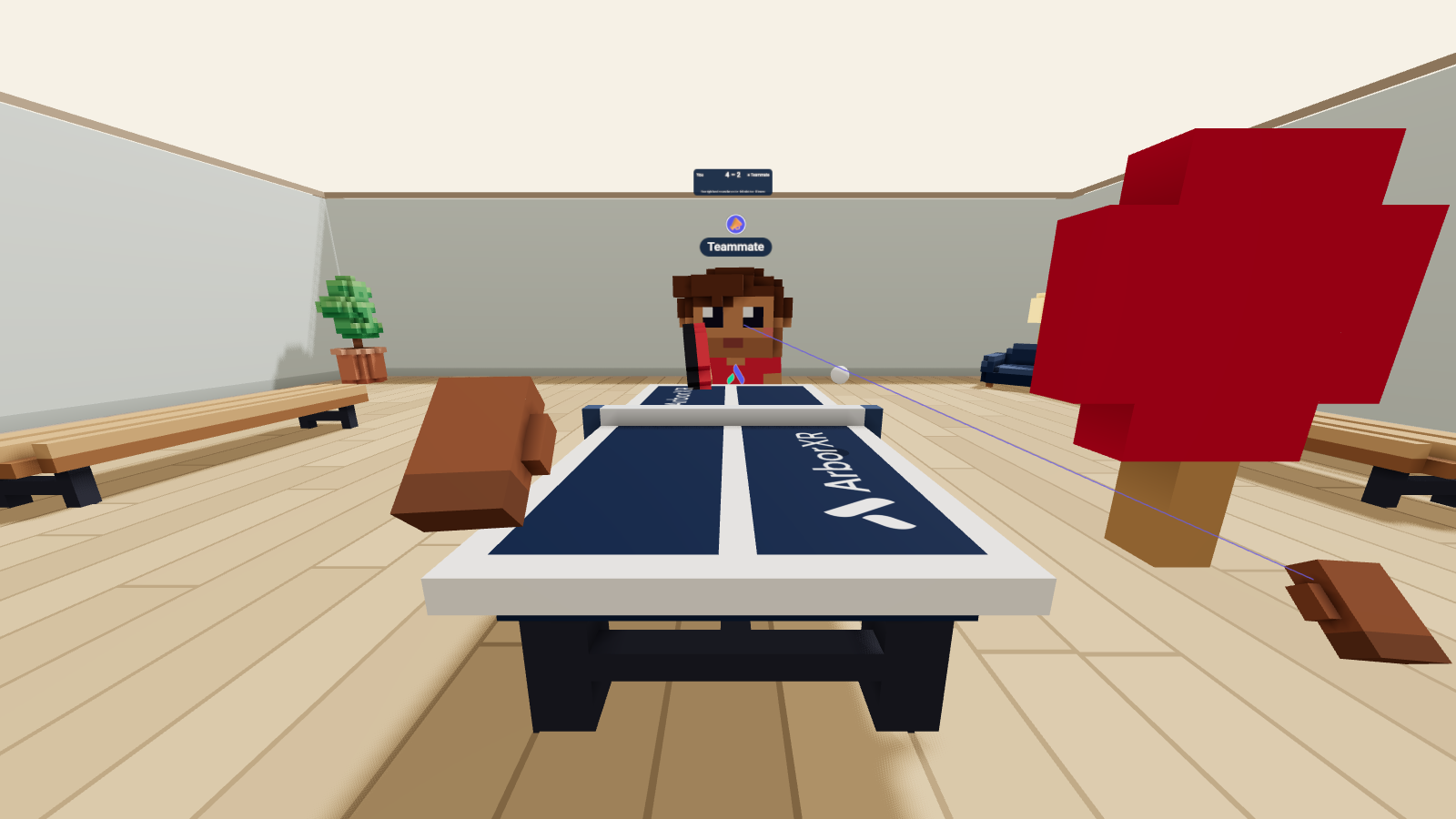
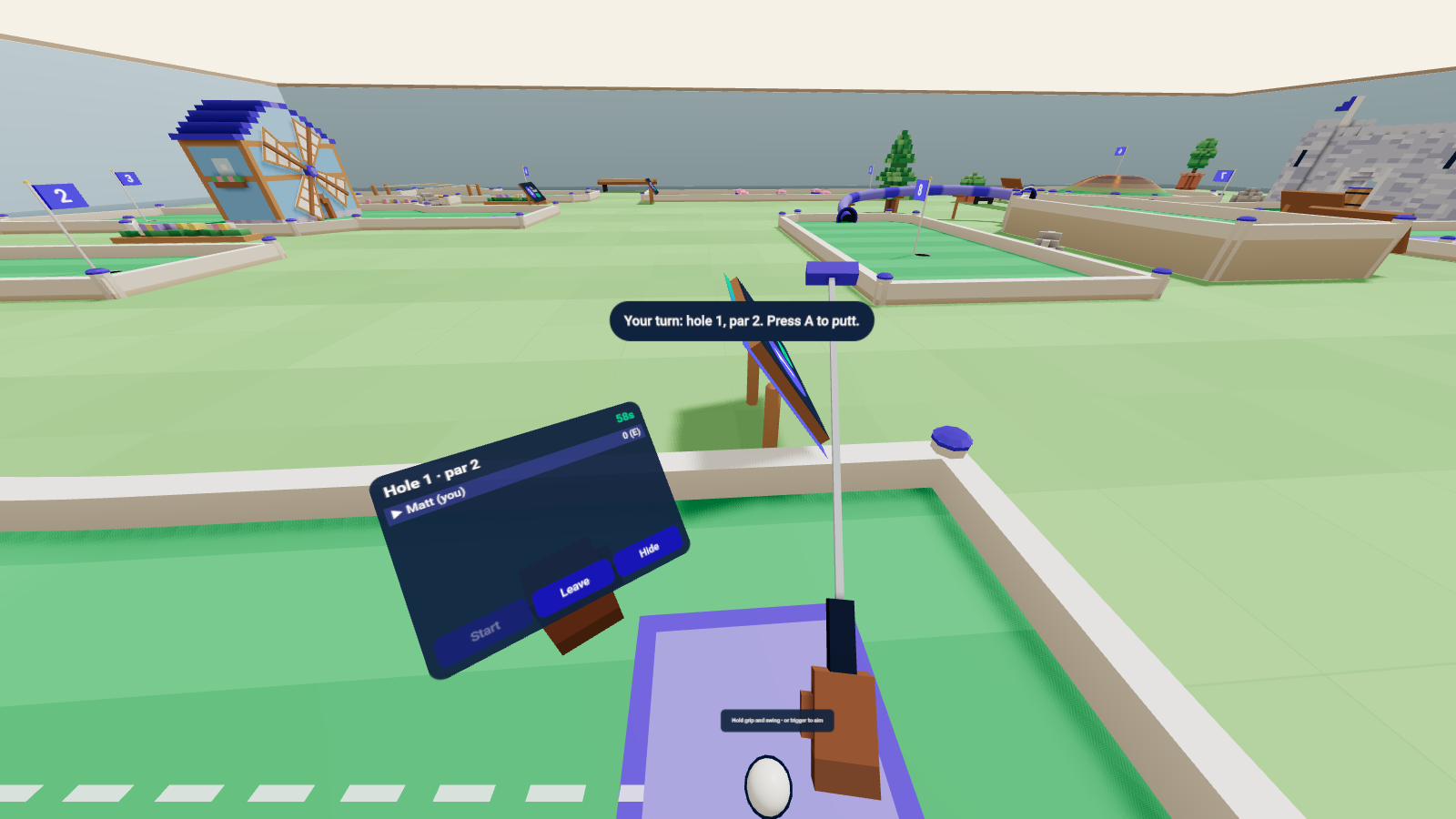
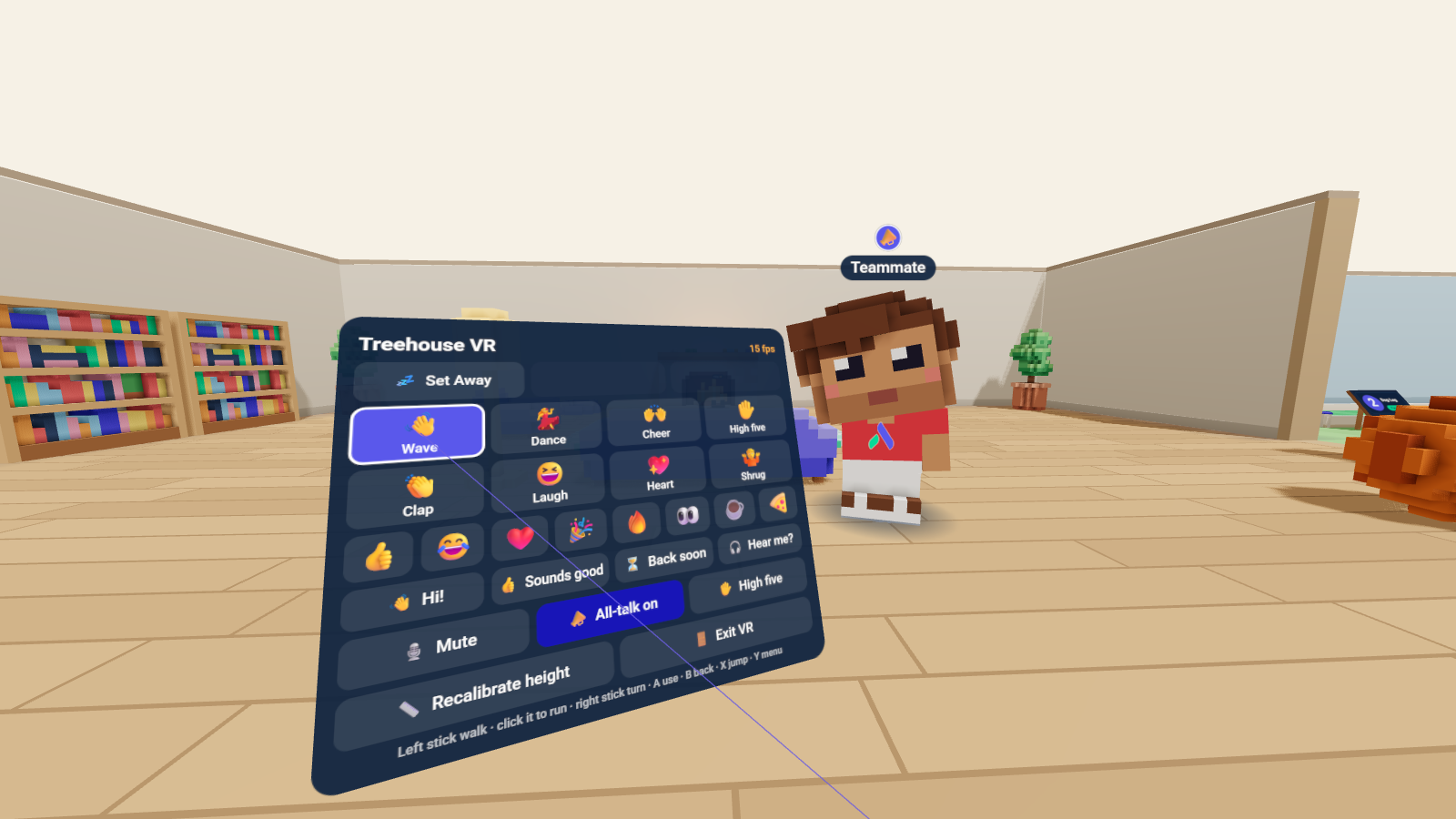
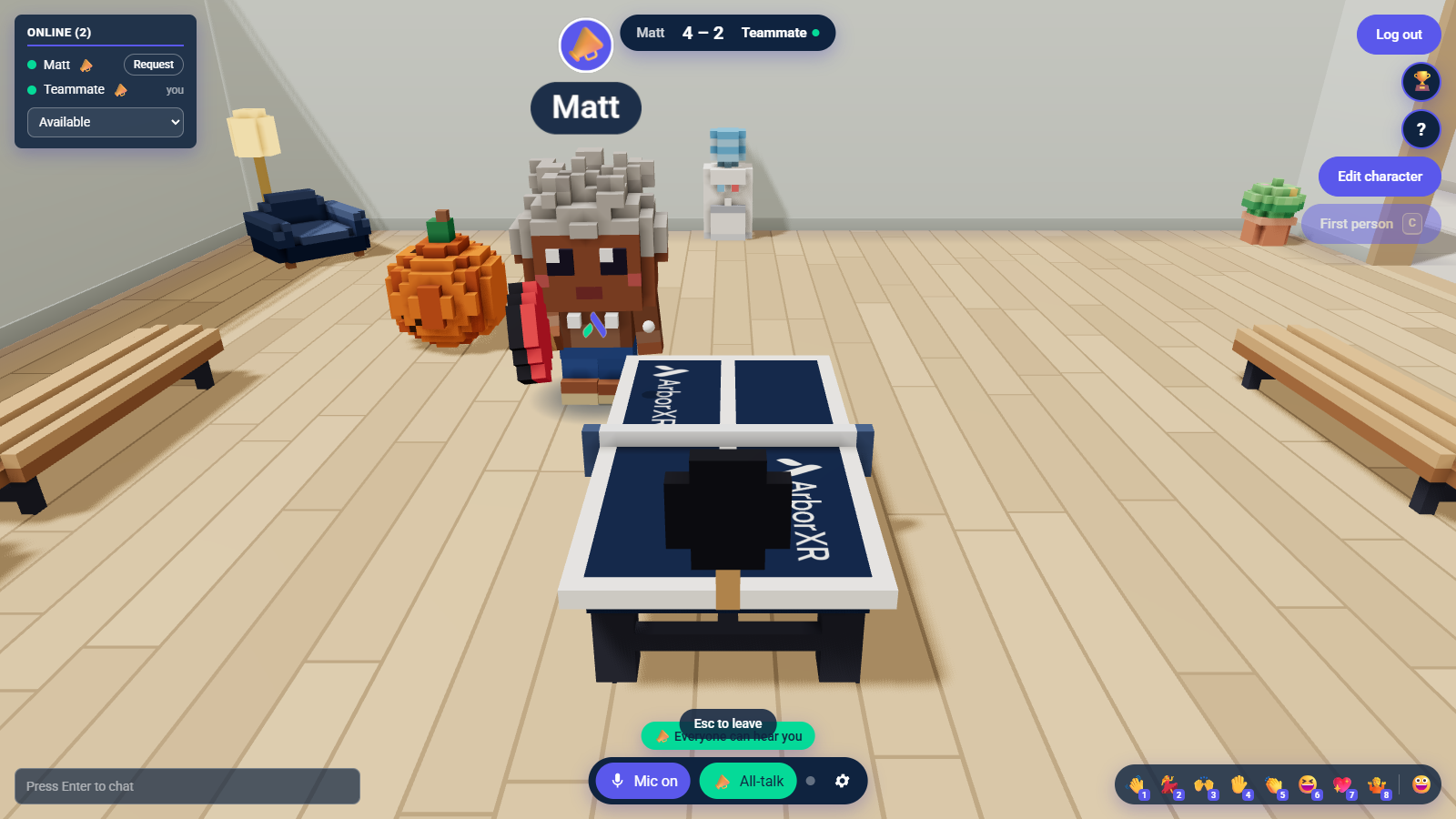
These screenshots come from the WebXR emulator I tested with, so they show one eye, and the frame rate on the menu is the emulator’s.
How I built it
I directed Claude Code (Opus 5.5) through the whole thing in about a day. My bar was playable on a Quest, first person, full controls and emotes, with as much testing as possible before I put on a headset.
- Read the codebase’s design doc and team rules first, so the work fit how the team builds.
- Built the headset view, the controls and the menu.
- Put Meta’s WebXR emulator into the automated tests. They drive an emulated Quest 3 through walking, sitting, emotes, mini golf and ping pong.
- Went through every desktop feature for a VR version, and kept the ones that need a 2D screen on the desktop.
- Tested on my Quest 2 and Quest 3. It worked the first time I put the headset on. My main note was that putts were too strong, so putting power came down 25%.
- Opened a merge request for the team. A merge deploys to production and drops everyone’s connection, so the team picks the time.
Decisions I’d defend in an interview
| Decision | The judgment behind it |
|---|---|
| Test in an emulator before the headset | Putting on a headset for every change is slow. The emulator ran inside the automated tests, so my first session in the Quest just worked |
| VR ping pong uses the keyboard’s inputs | Your hand steers the paddle with the same left, stop and right commands as the arrow keys. A VR player can’t move faster than anyone else, and the game server didn’t have to change |
| Leave some games on the desktop | Pool, darts, racing, the arcade, the TV share and the whiteboard rely on camera shots or 2D panels a headset can’t show. They stay out of VR until each one gets a real VR version |
| Measure before fixing | Ping pong looked jittery in my first test. I measured it before changing anything. The cause was my Windows laptop’s local server running the game at 26 ticks a second instead of 60, and the VR code was fine. I flagged it for the team and didn’t ship a guess |
| Protect the desktop users | The VR code only runs in a headset, and the messages between players didn’t change. People on a desktop shouldn’t notice the merge at all |
Where it stands
Treehouse is internal to ArborXR, so there is no public link to it. The screenshots above are the proof here.
Live in the office. It works on the Quest 2 and Quest 3, and mini golf and ping pong are the only games with VR versions so far. Next I want to see whether other headsets like Pico work, and which game gets a VR version next.